


Loog Guitar
4.469.00 Reviews
App Specs
- Version
- 8.4
- Updated On
- License
- Free
- Downloads
- 10,000+
- Developer
- Loog Guitars, LLC
- Categories
- Educational
- Platform
- Android
Screenshots

 Analysis by AppCompare
I’d treat Loog Guitar as a shared music activity, not just an app one person quietly works through. A child can try a lesson after school, while a parent helps tune the instrument or listens from nearby; later, another beginner in the household can take a turn. That arrangement works best when everyone has a clear place to pause and resume, rather than assuming that one person’s progress or preferences will suit the next player.
That distinction matters because the appeal here is practical: a guitar lesson can feel less daunting when it leads toward playing a song. The app is an educational game from Loog Guitars, LLC, and its song-led approach gives a household an easy way to turn a short practice window into something social. I would still make sure the learner gets hands-on time with the guitar, rather than treating watching or tapping through an app as a substitute for playing.
Sharing one screen without mixing up practice
On a shared phone or tablet, I’d agree on whose turn it is before opening a lesson. That sounds obvious, but it avoids a familiar household snag: one person starts a song, another changes course, and neither remembers what they meant to practise. A simple routine—one learner, one short session, then hand over—keeps the activity friendly without relying on any special family feature.
It can also help to separate the device from the instrument. The screen can display a lesson or chord reference while the player holds the guitar, but a second person may need to steady the device or move it into view. If the household has only one guitar, taking turns is more useful than crowding around and trying to follow along at once. If there are several instruments, each player should check that the one they pick up is tuned before starting.
Set expectations before the first lesson
The app is free to download, but it offers in-app purchases ranging from $9.99 to $59.99 per item. I’d discuss that with a child before handing over a shared device, and check purchase prompts together rather than assuming every part of the experience is included at no cost. That is a sensible boundary for any app used by a family, especially when a learner is excited and eager to continue.
There is also a useful distinction between access to the app and access to a guitar. Loog Guitar is designed around Loog’s instruments, while the published description says it can also be used with other guitars. If you already own a different guitar, that makes trying the lessons more approachable; still, a learner should have an instrument that is comfortable to handle and in tune. The app cannot make an awkward instrument easier to play by itself.
A realistic practice rhythm at home
Imagine a beginner has ten minutes before dinner. I’d pick one lesson or song, place the screen where its guidance can be seen, tune first, and focus on a small goal—such as getting through a chord change more cleanly—rather than trying to finish a long session. The progress and points can add a little structure, but they work best as encouragement, not as a reason to rush or compare one family member’s pace with another’s.
Worth Reading Before You Choose

Switching to Android Auto Means Rethinking Your Driving Routine

Google Calendar Makes a Crowded Week Easier to Manage

Baby Panda World Brings Quick Play to Modern Phones, but Its Game Library Feels Busy

ESPN’s Live Game View Makes Following Close Games Easier

QuizzLand Review: A Good Fit for Short Trivia Breaks, Not Every Player

Basketball Stars: Multiplayer Is Fast, but Can It Recover When Matches Go Wrong?
For coordination, it helps to decide who is using the app and when, especially if several people share an account or device. I wouldn’t assume that separate learner profiles, parental controls, or a household schedule are built in. Instead, keep expectations simple: each person can say what they practised, and the next player can choose a suitable starting point. That low-tech approach makes shared use more predictable without promising account tools the app may not provide.
Who will enjoy this approach
I’d recommend trying it for a new player who benefits from visible demonstrations, a clear sequence of lessons, and songs that make practice feel like music rather than homework. It may suit a parent and child learning side by side, too, provided the adult is happy to help with the instrument and device when needed. The Everyone age rating makes it broadly suitable in content terms, but younger children may still need an adult to guide setup and purchases.
On the other hand, a player who wants detailed music theory, advanced technique, or a fully independent curriculum may prefer a dedicated course or an in-person teacher. A general guitar-learning app can offer more room to explore different styles and methods, while a teacher can respond directly to posture, hand tension, and the sound a learner is making. Loog Guitar’s more guided, song-centred feel is a strength for easing into practice, but it is not a replacement for every kind of instruction.
What I would check before committing
If you are deciding whether to install it, first consider the guitar you have, who will use the device, and whether you are comfortable with the available in-app purchases. The app has a 4.5 average from around 700 ratings, and more than 10,000 installs; those figures suggest that plenty of people have tried it, but they can’t tell you whether its teaching style will click with your particular learner. I’d judge that by trying a short session and noticing whether the player can return to the instrument and practise what they just saw.
It was released on December 23, 2022, and the current version is 8.3, with Android 10 as the minimum operating-system requirement. Those details are worth checking against the device you plan to use, particularly if it is an older household tablet. The key question is less about having the newest device and more about whether the screen is comfortable to read while the learner is holding a guitar.
For a shared household, I’d keep the routine modest: one person chooses a lesson, another can listen, and everyone gets a fair chance to play. That avoids turning points or progress into a competition and makes it easier to notice whether the app is helping someone practise consistently. If the learner quickly outgrows the guided material, that is a good moment to compare it with a teacher or a broader course rather than forcing the same format to meet a different goal.
Ever thought about picking up a guitar but felt a bit intimidated by all those strings and chords? Enter Loog Guitar, an app that promises to make learning guitar as easy as pie. Whether you're a complete newbie or someone looking to brush up on your skills, this app might just be your new BFF.
Getting Started with Loog Guitar
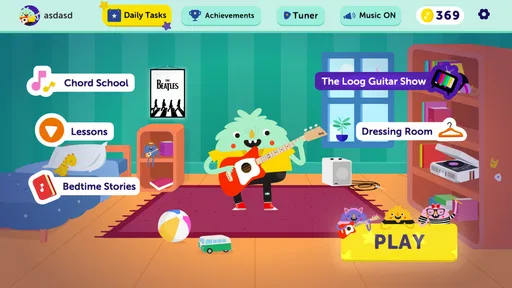
When you first fire up Loog Guitar, you're greeted with a clean and colorful interface. It's like a friendly wave from across the room, inviting you to dive in. The app is designed to work seamlessly with Loog's own line of guitars, but don't worry if you don't have one. You can still use the app with any guitar, which is a pretty sweet deal.
Setting up is a breeze. You just need to sign up or log in, and you're good to go. The app asks a few questions about your skill level, so it can tailor the experience just for you. It's like having a personal guitar teacher in your pocket. Neat, right?
Features to Strum Along With
Once you’re in, the Loog Guitar app offers a variety of lessons and songs to get your fingers moving. The lessons are structured and straightforward, perfect for anyone who might feel overwhelmed by the guitar's complexities. And the best part? You learn by playing actual songs, not just exercises.
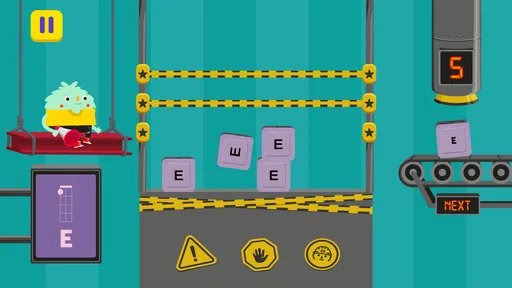
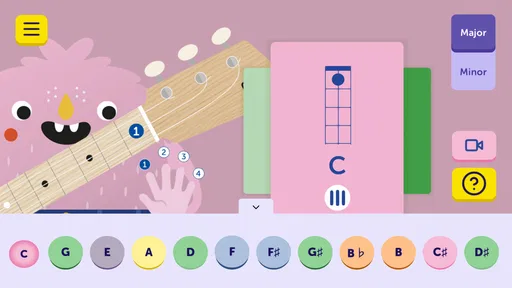
The app covers everything from the basics of tuning your guitar to playing your first song. There's even a handy chord guide, which is a lifesaver when you're trying to remember what a G major looks like. Plus, the interactive tuner is spot on, so you’ll never be out of tune.
Jam-Packed with Fun
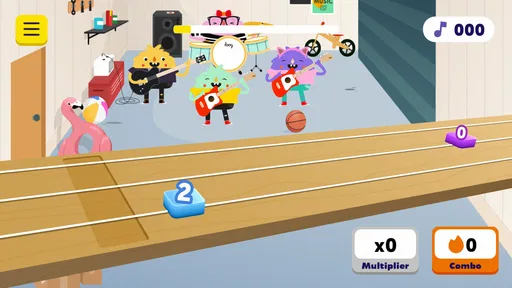
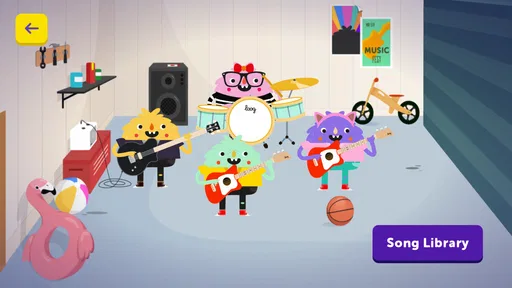
One of the coolest features is the song library. It’s packed with popular tracks across different genres. Whether you’re into pop, rock, or even some indie vibes, there’s something for everyone. You can play along with the songs, and the app shows you the chords in real-time. It’s like jamming with a band, minus the pressure.
For those competitive spirits, the app tracks your progress and gives you points for completing lessons and songs. It's a nice little motivation boost to keep you coming back for more.
Learning at Your Own Pace
What I love about Loog Guitar is that it lets you learn at your own pace. There’s no rush, no pressure. You can repeat lessons as many times as you need or skip ahead if you're feeling confident. It's all about making learning fun and stress-free.
The app also includes video lessons, where you can see the instructor playing. It's like having a mini concert, and it's super helpful to see how things are supposed to look and sound.
Wrapping It Up
All in all, Loog Guitar is a fantastic app for anyone looking to dive into the world of guitar. Its user-friendly interface, comprehensive lessons, and fun song library make it a top choice for beginners and even seasoned players looking for a fresh way to practice.
If you've been on the fence about learning guitar, this app might just be the nudge you need. So why not give it a whirl? You might just discover a hidden talent!
Pros
- User-friendly interface for beginners.
- Wide range of song tutorials available.
- Compact and portable design.
- Interactive chord diagrams enhance learning.
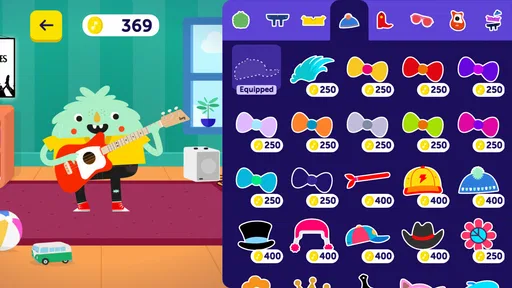
- Encourages creativity with customizable features.
Cons
- Limited advanced features for experienced players.
- Requires internet for full functionality.
- Some tutorials need in-app purchases.
- Occasional app crashes reported by users.
- No offline mode for song access.
FAQs for Loog Guitar
What is the Loog Guitar app and how does it work?
The Loog Guitar app is a companion application designed to help beginners and young guitarists learn to play the guitar. It provides interactive lessons, chord diagrams, and a digital tuner. The app uses a fun and engaging approach, incorporating games and educational videos to make learning accessible and enjoyable for all ages.
Is the Loog Guitar app suitable for complete beginners?
Yes, the Loog Guitar app is ideal for complete beginners. It offers step-by-step tutorials and simple instructions that make it easy for newcomers to start playing. The app’s interactive features and user-friendly interface ensure that even those with no prior musical experience can quickly get the hang of playing the guitar.
What devices is the Loog Guitar app compatible with?
The Loog Guitar app is available for both Android and iOS devices. It supports a wide range of smartphones and tablets, ensuring that users can access its features regardless of their preferred platform. Before downloading, check the app store for specific device compatibility requirements to make sure it runs smoothly on your device.
Does the Loog Guitar app require any additional purchases?
While the Loog Guitar app is free to download, certain features or content may require in-app purchases. These might include advanced lessons, additional song packs, or premium tools. However, the app offers a substantial amount of free content to help users start learning without needing to make immediate purchases.
Can the Loog Guitar app be used without a physical Loog guitar?
Though the app is optimized for use with a Loog guitar, it can be used with any guitar. The lessons and tutorials are designed to accommodate different guitar types, ensuring that all users benefit from the educational content. However, using a Loog guitar may enhance the experience due to its tailored design for beginners.


